

Webhooks
SimJuno sends signed HTTPS webhooks when an eSIM’s provisioning, status, usage, or validity changes.
Set up your endpoint
Create a public HTTPS endpoint, then open Settings → Webhook in the SimJuno Dashboard and save its URL. The URL must not contain credentials or resolve to a private network address.
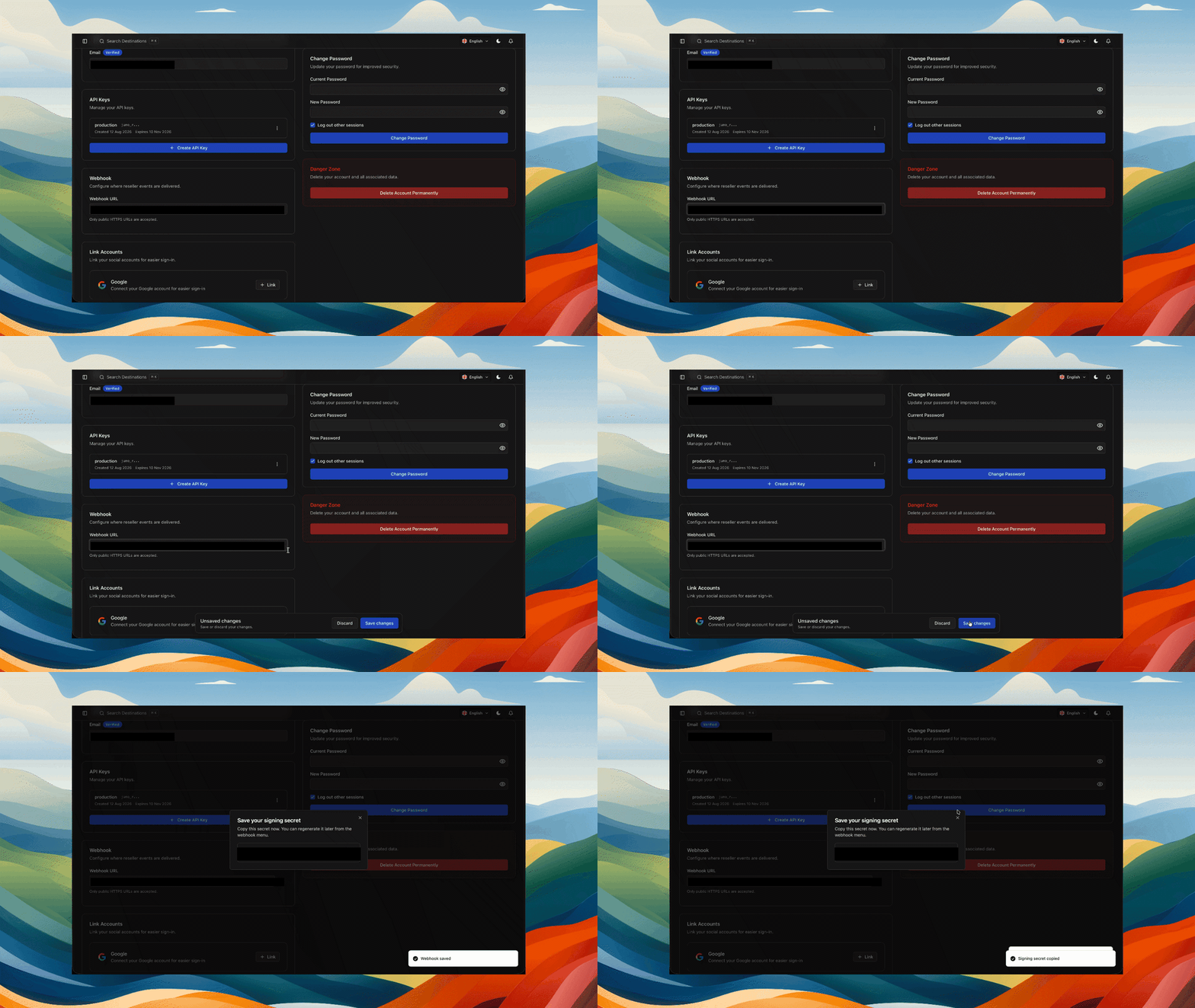
Copy the generated signing secret and store it in a secret manager:
Saving an endpoint for the first time, or changing its URL, queues a CHECK_HEALTH event.
Event structure
Every event has five top-level fields:
Verify signatures
SimJuno includes these headers:
The signature is the hexadecimal HMAC-SHA256 of <timestamp>.<raw_request_body>, where timestamp is in Unix seconds. Verify the unmodified request bytes before parsing JSON, compare signatures in constant time, and reject stale timestamps to limit replay attacks.
Delivery behavior
Return any 2xx response within 10 seconds to mark a delivery successful. SimJuno does not automatically retry a recorded failed delivery. You can retry failures from Dashboard → Webhooks → Event delivery; a retry keeps the event ID and body but uses a new signature timestamp.
Delivery order is not guaranteed. Network interruptions, provider notifications, and manual retries can produce repeated deliveries, so process every event idempotently.
Changing the endpoint URL keeps the current signing secret and queues a new CHECK_HEALTH event. Regenerating the secret invalidates the old secret immediately. Removing the endpoint clears its secret and fails pending deliveries.
Event reference
Events associated with reseller API orders include your transaction_id as transactionId. Events for an individual eSIM also include its SimJuno esimId. Optional provider fields are omitted when unavailable.
Status values
SimJuno relays these eSIMAccess status values unchanged.
esimStatus
smdpStatus
Check health
Event type: CHECK_HEALTH
Sent after an endpoint URL is first saved or changed. The data object is empty.
Use this event only to verify setup. A manual retry can deliver the same event ID again.
Order status
Event type: ORDER_STATUS
Sent when every eSIM profile in an order has been allocated and is ready for retrieval.
Use this event to retrieve the allocated eSIMs for the matching transactionId.
SM-DP+ event
Event type: SMDP_EVENT
Sent for profile installation and SM-DP+ lifecycle transitions.
Use smdpStatus to track the SM-DP+ operation and esimStatus to track the eSIM lifecycle.
eSIM status
Event type: ESIM_STATUS
Sent when an individual eSIM’s lifecycle status changes after allocation.
Use this event for customer-facing activation, exhaustion, expiration, cancellation, revocation, and suspension states.
Data usage
Event type: DATA_USAGE
Sent when the eSIM crosses a provider usage threshold.
totalVolume, orderUsage, and remain are measured in bytes:
For the sample above, the total is 20 GB and approximately 10 GB remains. eSIMAccess documents usage events at 50%, 80%, and 90% consumed, with remainThreshold values of 0.5, 0.8, and 0.9. Its checked-in 90% example instead uses 0.1, so SimJuno relays the value unchanged. Calculate the actual percentage from orderUsage / totalVolume rather than interpreting remainThreshold yourself.
Use these events for low-data notifications, usage dashboards, and top-up prompts. After a top-up, totalVolume can increase while esimId remains unchanged.
Validity usage
Event type: VALIDITY_USAGE
Sent when an active eSIM is approaching expiration.
This event normally fires when one day remains. Use expiredTime for the cutoff and durationUnit to interpret remain; an expired eSIM cannot be topped up.