

Authentication
Every request to the SimJuno v1 reseller API must include an API key in the x-api-key header. API keys begin with juno_ and identify your SimJuno account. Each request counts against your rate limit of 8 requests per 1-second window.
Create an API key
Sign in to the SimJuno Dashboard and follow these steps:
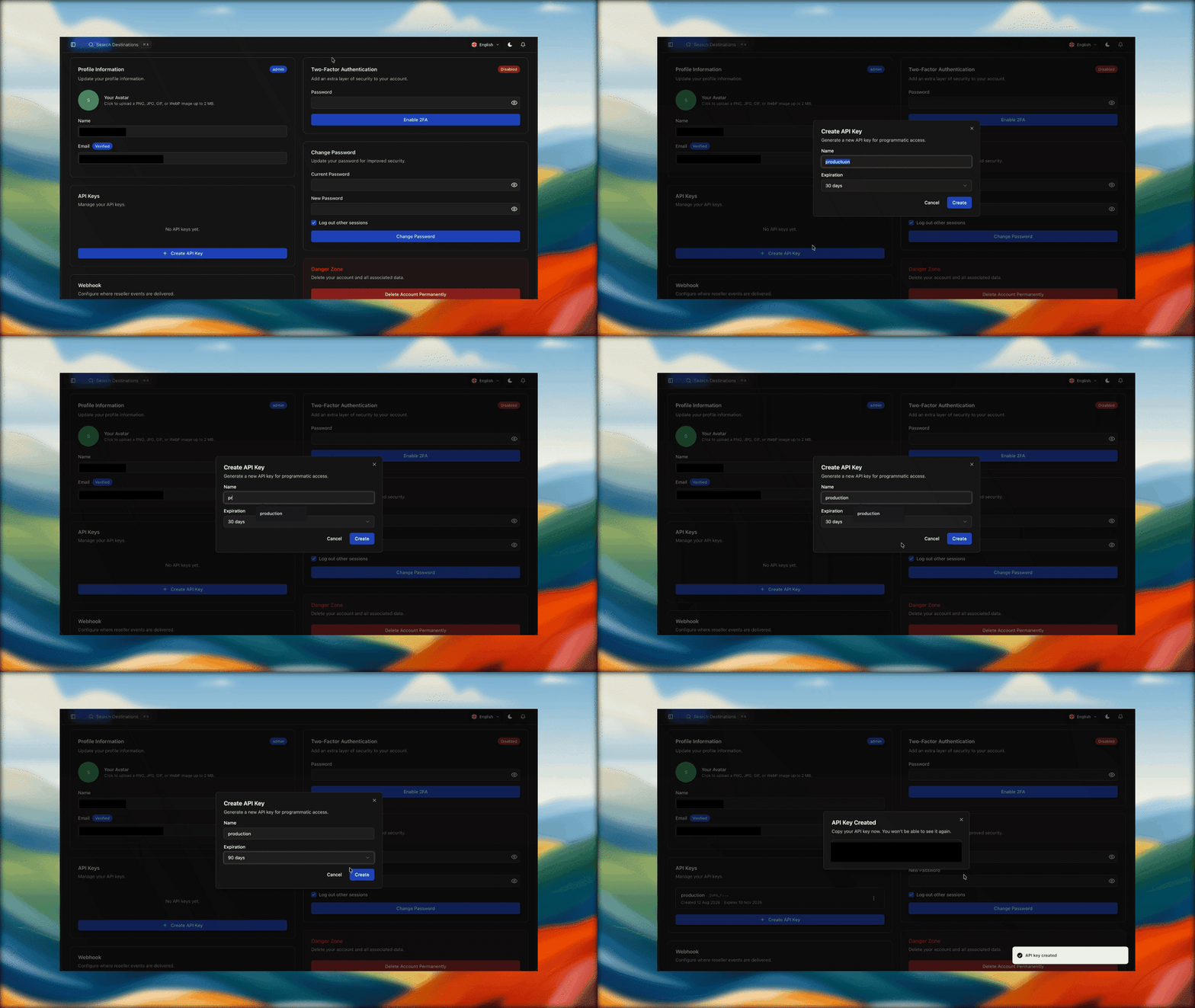
Copy the key immediately—SimJuno shows the full value only once. Store it in a secret manager or an environment variable such as SIMJUNO_API_KEY. If you lose it, create a replacement and delete the old key.
Make an authenticated request
Then send it in the x-api-key header. This request verifies access and returns your reseller wallet balance:
A successful response has this shape:
The balance value uses a factor of 10,000. Divide it by 10,000 to convert it to US dollars; for example, 30000 / 10000 = $3.00.
discount_percent is the account-wide discount SimJuno has granted your account, as a percentage. Package endpoints list full prices; the discount is taken off each package price when you order or top up, so the amount debited from your wallet is price × (1 − discount_percent / 100), rounded to the nearest unit. It is 0 for accounts without a discount.